Before You Travel: Set Up Your Phone the Smart Way

This is one of those simple travel topics that can make a huge difference. Before you leave home, take a few minutes to set up your phone properly. Your phone is more than a camera. It is your map, translator, boarding pass, travel wallet, emergency tool, and communication lifeline. A little preparation before you go can save time, reduce stress, and help you avoid expensive surprises.
Let’s start with photos. Clean your camera lens before taking pictures. It sounds almost too simple, but fingerprints, sunscreen, dust, and pocket lint can ruin a great shot. Before your trip, also spend a few minutes learning how to use portrait mode, video, zoom, and basic editing tools. You do not want to be figuring that out while standing in front of the Eiffel Tower, the Acropolis, or a once-in-a-lifetime sunset.

Also, do not wait until the last day of the trip to organize your pictures. Take a few minutes each evening to delete the blurry shots, screenshots you no longer need, and accidental photos. Mark your favorites as you go. Your future self will thank you when you are trying to create a photo book, social media post, or family slideshow.

Next, make sure your photos are backing up to the cloud. Whether you use iCloud, Google Photos, OneDrive, or another service, your memories should not live only on one device. A lost, stolen, or damaged phone should not mean lost vacation pictures. Check your backup settings before you leave home, and make sure you understand whether backup requires Wi-Fi, cellular data, or both. I utilize both Apple photos and Google photos. The downside of Apple photos is once you delete a photo from your phoe it deletes from your Apple storage as well
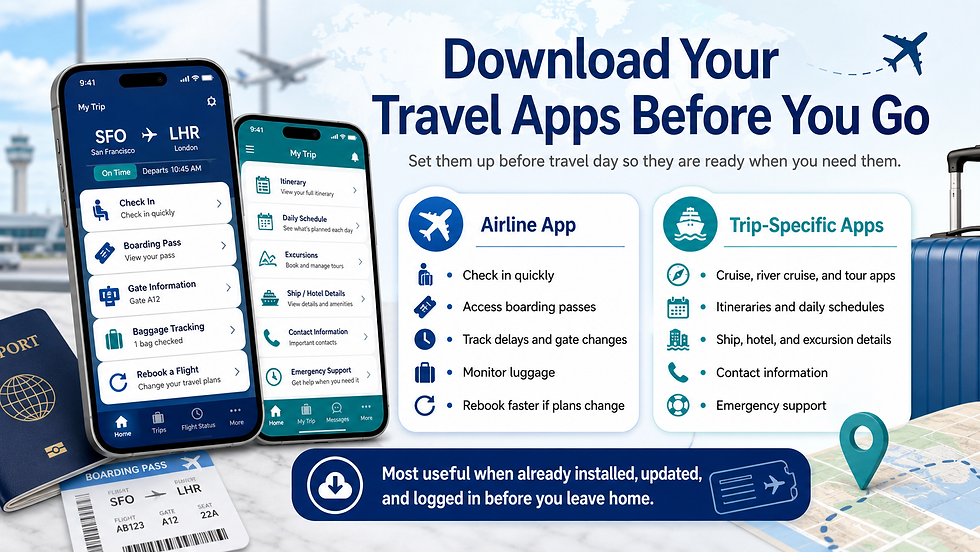
Travel apps are another important step. Before you leave, download your airline’s app and log in before travel day. Airline apps can help you check in, track flight changes, view boarding passes, find gate information, monitor luggage, and rebook more quickly if schedules change. Also download any trip-specific apps available through your cruise line, river cruise company, or tour operator. Viking, many cruise lines, and most escorted tour companies now offer apps with itineraries, daily schedules, contact information, ship or hotel details, excursion information, and emergency support. These apps are most useful when they are already installed and working before you need them.
Offline maps are also essential. Download maps before your trip, especially for cities, cruise ports, rural areas, or places where cell service may be unreliable. Google Maps and Apple Maps can both be useful, but even the best app is frustrating when your signal disappears. Offline maps can help you navigate old city streets, find your hotel, or return to the ship without panic.
Translation apps are worth setting up before departure. Download the language in advance if your app allows it. Even basic help with menus, signs, directions, and common phrases can make travel easier and more respectful. You do not need to become fluent overnight, but having a translation tool ready can reduce confusion.

Your digital wallet matters, too. Load your Apple Wallet or Google Wallet with boarding passes, hotel confirmations, train tickets, credit cards, and any travel documents that can be stored digitally. But do not rely on only one method. Keep screenshots or printed copies of key documents in case Wi-Fi is weak, an app will not load, or your battery is low.
Safety settings are important. Set up emergency contacts and medical ID on your phone so key information can be accessed from the lock screen in an emergency. If you are traveling solo, consider sharing your location with a trusted family member or friend.

Finally, think about power and phone charges. Bring a reliable power bank and keep your
charging cable with you, not buried in checked luggage. Before leaving, check your phone plan. Ask about international data, travel passes, roaming fees, and cruise ship service. On cruises, satellite cellular service can be very expensive. Ship Wi-Fi and Wi-Fi calling may be better options, but turn roaming off if that is your plan.
A prepared phone will not solve every travel problem, but it can make the journey much smoother.


Comments